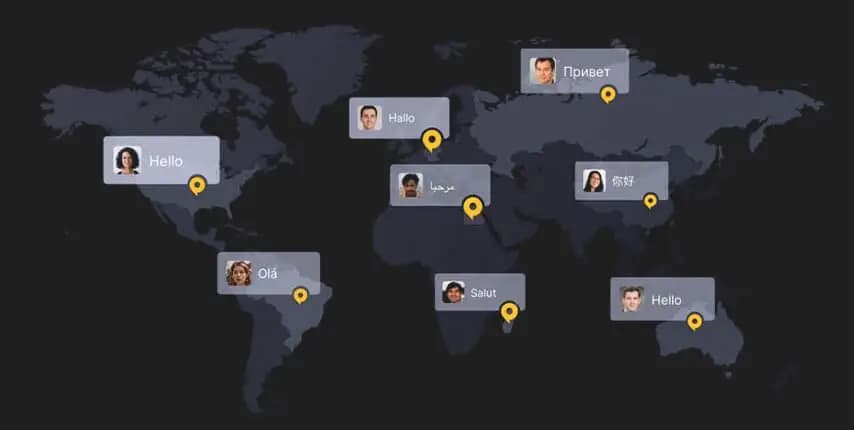

Mastering Software Localization: A Deep Dive into Seamless Global Market Expansion with Inspiring Case Studies
Software localization is a technical and cultural craft. This guide breaks down core concepts, practical steps, testing needs, and an in-depth Posiflex case study that illustrates real-world Arabic localization challenges and solutions.
Why Software Localization Matters
When you publish software globally, users expect an experience that feels native: language, layout, legal terms, currency and even microcopy must match local expectations. Well-localized software increases adoption, reduces support costs and builds trust — critical in regulated markets and verticals such as retail POS, finance, healthcare and education.
Impact snapshot:
Friction from poor localization increases user errors, support tickets, and churn. Investing in localization early reduces rework and accelerates market entry.
The Main 6 Concepts of Software Localization
1. Data Encoding
Support for correct encodings (Unicode UTF-8, code pages) is foundational. Encoding matters for storage, display and cross-system exchange. In multilingual environments, incorrect encoding breaks characters or causes data loss.
2. Local Culture Awareness
Localization must address local calendars, sorting rules, phone/address formats, measurement units and culturally appropriate imagery and copy. Small mismatches reduce credibility.
3. Input, Output & Display
Text rendering (line breaking, shaping for Arabic/Hebrew), fonts, bidi support (RTL/LTR), overlay text sizing and UI mirroring are all part of making the UI readable and usable across scripts.
4. Localizability
Make your product localizable by separating strings from code, avoiding hard-coded text, and preparing resources for translators. Plan for string length expansion, plural forms, gender variants, and format placeholders.
5. Localization (L10n) vs Internationalization (i18n)
Internationalization is engineering the product to support localization; localization adapts content and behavior to a specific market (language, legal, UX). Do i18n early to minimize later engineering costs.
6. Testing for World-Readiness
QA should include globalization tests, linguistic review, functional checks in each locale and accessibility checks. Tests must simulate real user locales (timezones, currencies, locale-specific flows).
Most Important Aspects of Software Localization
UI (User Interface) Localization
Translate menu items, buttons, error messages, placeholders and help tips. Pay special attention to form validation messages and microcopy that guide user behavior.
Documentation Localization
Localize manuals, help centers, onboarding materials and release notes. Accurate, localized documentation reduces support load and improves retention.
Audio & Video Localization
For multimedia features, handle voiceovers, subtitles and localized imagery. Ensure lip-syncing where required and adapt examples to local cultural references.
Date, Number & Currency Localization
Locale-aware formatting for numbers, dates, currencies and sorting is critical. Provide currency conversion or local currency display when relevant.
Functional Localization
Certain features may need to be adapted or omitted per market — e.g., payment integrations, tax calculations, legal disclaimers or KYC processes.
Time Zone Localization
Crucial for scheduling, reminders and audit logs. Be explicit about stored timezone vs displayed timezone and offer clear settings for users to choose their preferred timezone.
Testing for World-Readiness
World-readiness testing includes three layers:
- Globalization testing: Verify encoding, locale detection, sorting and format parsing.
- Localizability testing: Ensure all UI strings are externalized, support for pluralization/gender and no hard-coded layouts.
- Localization testing: Linguistic QA, functional checks, visual QA (UI overflow, truncated text) and legal/regulatory verification.
Automate what you can (linting for missing translations, pseudo-localization tests) and combine with human linguistic review for nuance.
Posiflex Case Study — Arabic Software Localization for POS Devices
Background: Posiflex, a major POS hardware vendor, needed Arabic support across multiple devices and driver stacks. Saudisoft partnered with Posiflex to provide robust Arabic localization libraries and cross-platform solutions.
Challenges
- Fonts embedded in devices lacked full Arabic shaping support.
- Different applications and legacy systems used varying Arabic code pages (Unicode vs CP864).
- Multiple POS models and drivers produced inconsistent behaviors for Arabic rendering and printing.
- Arabic letter shaping (contextual forms) and bidi order required special handling; English drivers couldn’t generate correct shaped text.
Solution
Rather than altering each driver, Saudisoft developed Arabic libraries with APIs that applications could call to handle Arabic functionality consistently:
- Support for multiple code pages (Unicode, CP864, etc.).
- Automatic character shaping, wrapping, reading order handling and alignment.
- Bilingual printing (Arabic + English) on receipts and labels.
- Numeric formatting and Arabic numeral handling for POS outputs.
- Delivered cross-platform libraries for Java, .NET and Win32 to maximize reuse.
Results & ROI
Posiflex strengthened its market leadership in the Middle East, improved device compatibility across verticals, and supported regional regulations requiring Arabic on invoices and signage. The partnership enabled Posiflex to expand into KIOSK and IoT verticals, maintaining strong ties with Saudisoft.
Implementation Checklist & Best Practices
- Start with i18n: externalize strings, use locale-aware libraries, and design flexible UIs.
- Create and maintain a translation memory (TM) and termbase for consistency.
- Run pseudo-localization early to spot layout and encoding issues.
- Automate QA checks (missing keys, encoding issues) and combine with human linguistic QA.
- Secure your localization pipeline: encrypted transfers, access control, NDAs for sensitive content.
- Include local compliance & legal review in your localization workflow.
Teams & Roles
Successful localization requires multidisciplinary teams: product managers, i18n engineers, localization engineers, translators with domain expertise, QA engineers and legal/compliance advisors.
Conclusion & Next Steps
Software localization is both an engineering and cultural effort. Planning i18n early, investing in tooling (TM, CAT, pseudo-localization), enforcing secure pipelines, and combining automated checks with human linguistic QA are the keys to seamless global expansion.
If you’re preparing to localize a product — start with a world-readiness audit, define locales & priorities, and run a pilot in one target market before scaling.